Thursday, January 23, 2014

Multimedia Assignment #22.1-22.12

 For Assignments 

22.1 - 22.2, we had to create different 

3D figures for each day  using Sketch up.


Multimedia Assignment #20

Assignment #20 was our creation of a home phone using Photoshop. We used many features in Photoshop including gradient tool, offset paths and many other tools to help create an image of a wireless home phone.

Multimedia Assignment #21 a,b,c

For Assignment #21, we used a new program called Sketch up which is used to create 2d and 3d figures and images. We had to create our first name and intial ( last name) using the line tool and then use the push/pull tool to make our name 3D. Next, we had to create both 2D and 3D shapes using the line tool. I created a 3D and 2D version of a circle, square, and a triangle.

Monday, December 16, 2013

Multimedia Assignment # 19

For assignment #19, we had to create a flash drive using Adobe Illustrator. Once we had created a the base figure for the flash drive, i created the top of the flash drive by creating varies squares and using the gradient tool to change the color and also rearranged them to look like the inserting part of a flash drive. Then i created a rectangular shape and inserted my name and the amount of GB. Finally, I used the gradient tool to change the color of the flash drive to red,white and blue.

Monday, December 9, 2013

Multimedia Assignment # 18

For assignment # 19, we had to use the soft focus effect to make an image 'glow'. I took the original image and used the Gaussian blur to blur out any wrinkles on the skin to make the person seem younger. Then i used the brush tool to add a glow effect on the image.

Multimedia Asignment #17 - Quick Mask

For assignment # 17, we had to use a photo of a person and change one thing about them using the quick masking tool to mask the areas with my desired color or effect. For this picture I took and original image and used the quick mask to change the color of her eyes to be bright red. Then i put the original and the edited version together so you can see the difference.

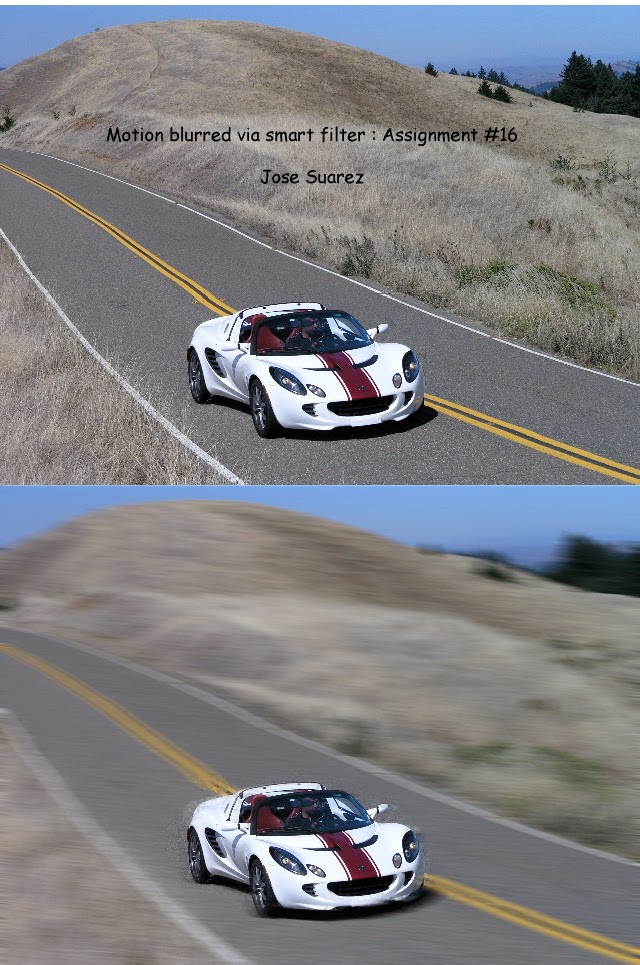
Multimedia assignment #16

For assignment # 16 , we had to create a motion blur on a moving image. I choose to use a car as my moving object. First i opened the picture with smart object, then i create a motion blur for the whole image. Next i had to use the brush tool un - blur the car so it can appear to be moving.